Paper Minecraft
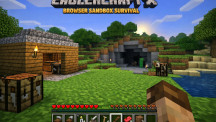
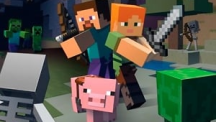








Paper Minecraft is a cool 2D browser game that feels like Minecraft but sideways. Jump right in—no install, no waiting. You mine blocks, craft stuff, build whatever you want, and survive in a colorful pixel world.
Gameplay Experience
Paper Minecraft runs super smooth in any browser. Controls feel quick and natural, the world pops up fast, and it works great on phone, tablet, or computer. Survival starts easy with basic gathering then gets intense at night, while Creative gives you total freedom to build big. Easy to learn, hard to stop playing once you get into it.
How to Play
- Pick a Mode
- Survival: Hunt for resources, make tools, build a safe spot, fight monsters after dark.
- Creative: Endless blocks and items—create anything, zero danger.
- Peaceful: Chill exploration and building, no monsters at all.
- Get Started Hold left click on trees to punch wood. Turn wood into planks and sticks, then craft your first pickaxe, axe, and shovel.
- Craft & Get Better Dig for stone, coal, iron, gold, diamonds. Build a crafting table (4 planks) to unlock stronger gear, weapons, armor, and torches.
- Build & Stay Alive Stack blocks into a house before night comes. Place torches everywhere to keep monsters away. Eat food like cooked meat or apples to heal.
- Go Exploring Wander forests, caves, and hills. Dig deeper for shiny rare stuff.
Controls (Works Best on Desktop)
- WASD or Arrows: Walk & jump
- Left Mouse: Break/place blocks, hit things
- E: Open your inventory
- F: Eat what's in your hand
- Space: Drop or split stacks
- P: Pause the game
- 1-9: Pick hotbar items fast
Pro Tips for Beginners
- Punch a tree right away for wood.
- Get a shelter up before your first night.
- Make torches early—they save lives.
- Rush iron tools for faster digging.
- Creative mode is perfect for wild experiments.
Conclusion
Paper Minecraft packs the best parts of building and surviving into a fast, fun 2D browser game. Start small, build big, survive the night—it's addictive from the first punch. Grab some wood and get creating today!